Xuper TV APK v7.8.1 Download New Version for Android [2026]
Live channels, movies and series in a single app for Android and TV
Xuper TV combines live television, a movie catalog, and complete seasons of TV series into a single menu. On this page, you'll find the two official installers currently available, one for your phone and one for your TV, along with their actual file sizes, installation instructions, and a list of things to check beforehand.
- File reviewed
- No root
- Free download
Xuper TV APK Information
| App name | Xuper TV |
| Latest version | v7.8.1 |
| APK for mobile | 51.1 MB |
| APK for TV | 32.4 MB |
| Android required | Android 5.0 or higher |
| Category | Entertainment, streaming |
| Devices | Phone, tablet, Android TV, Google TV, Fire TV and TV Box |
| Interface | English, with sections and channels in Spanish |
| Download price | Free |
| Root | It's not necessary |
| Updated | November 2026 |
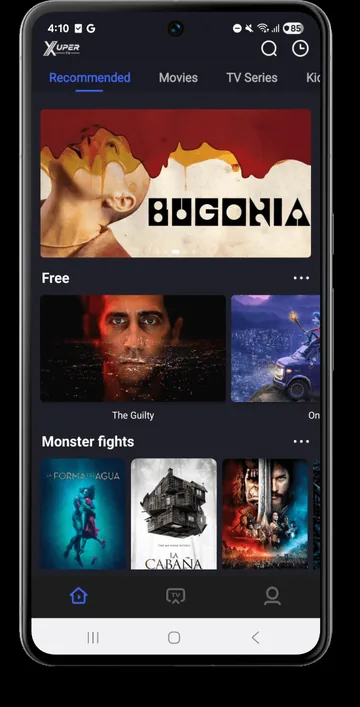
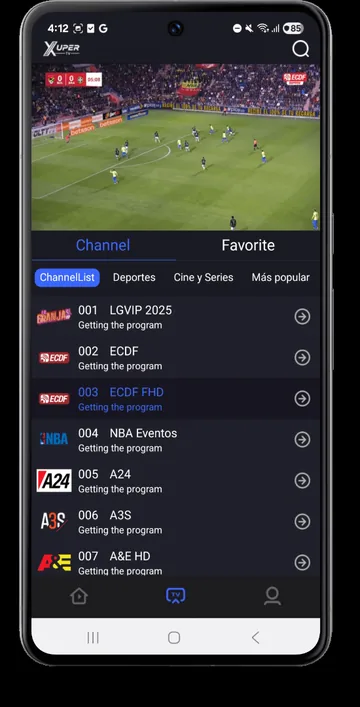
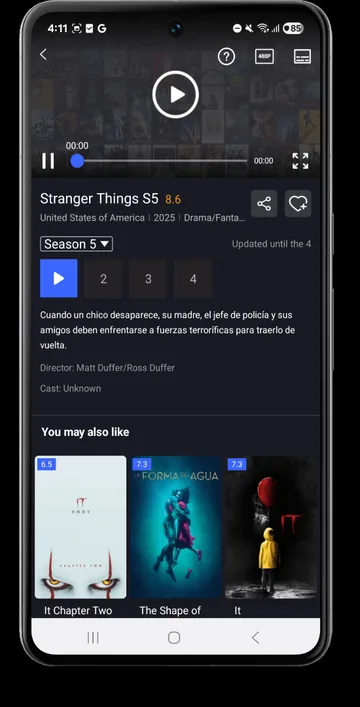
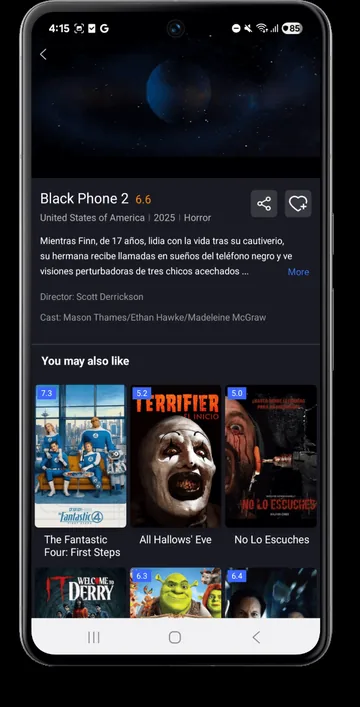
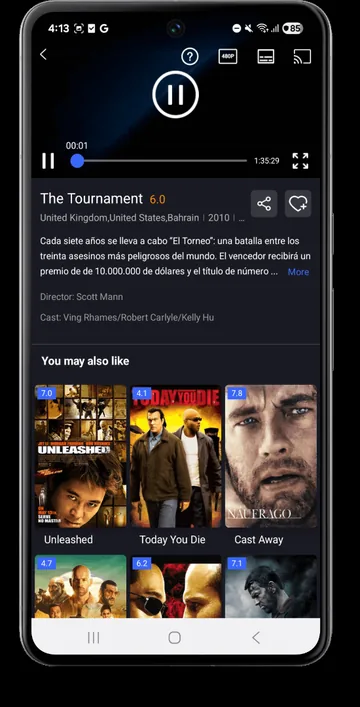
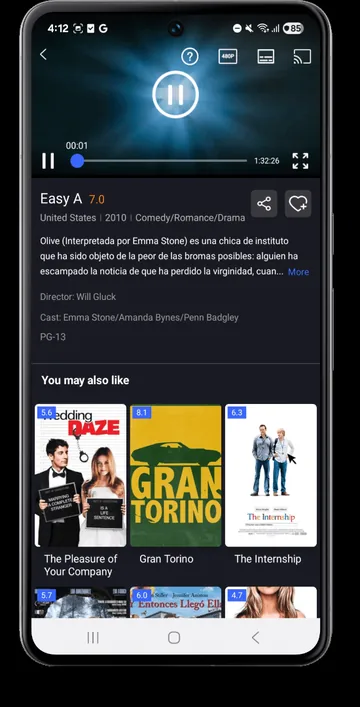
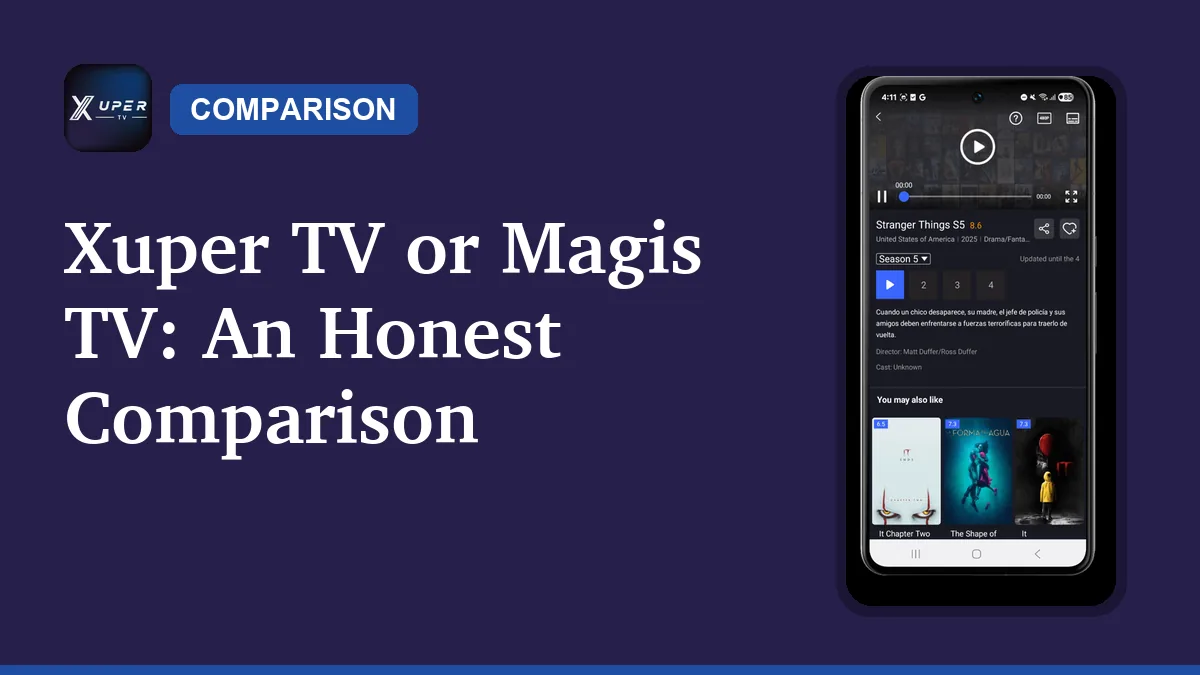
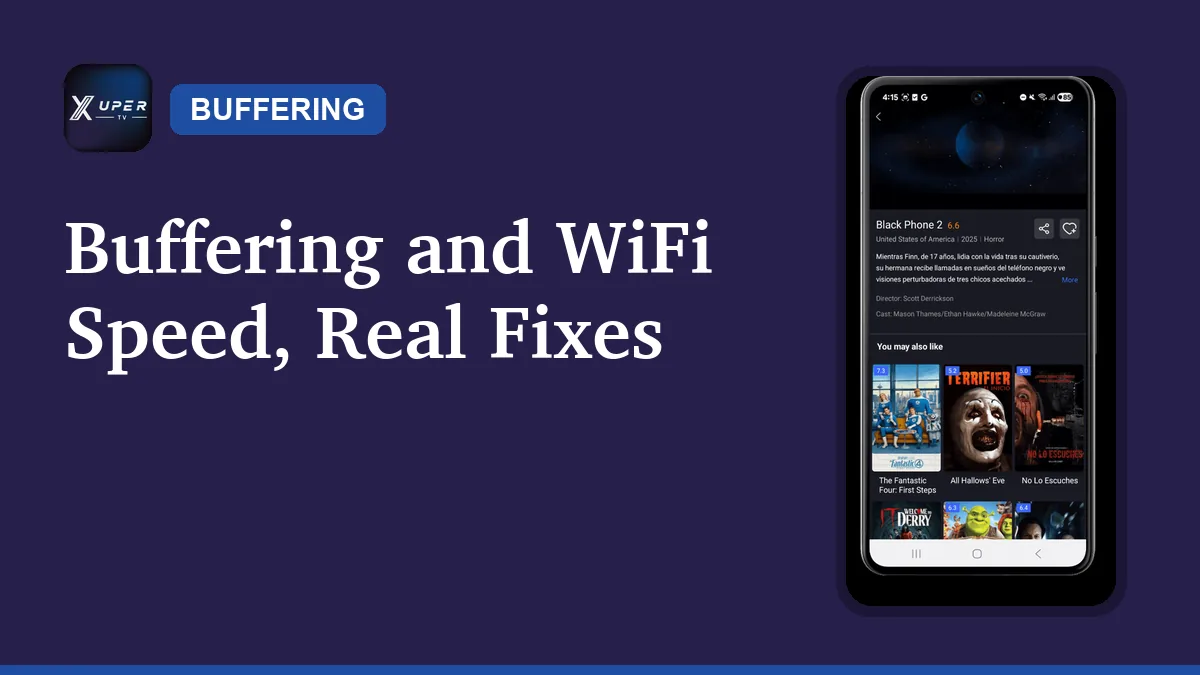
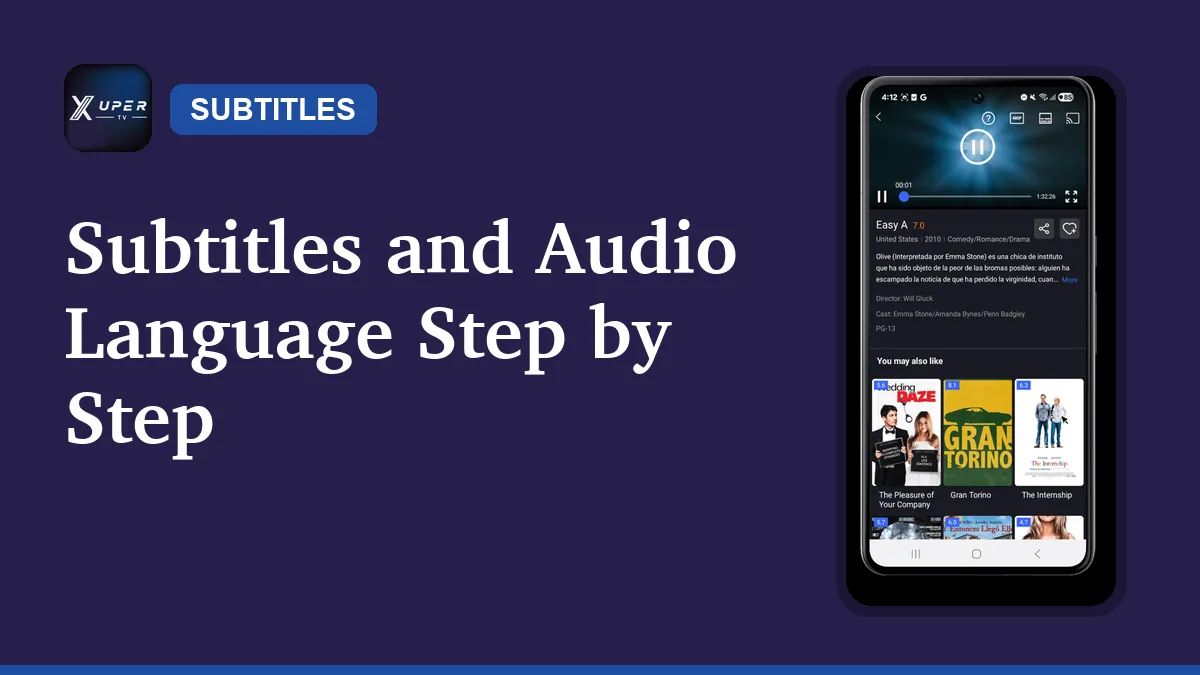
Screenshots taken from the app installed on an Android phone. The posters belong to their respective owners and are shown here for interface reference only.
Contents of this guide
- 1 What is Xuper TV?
- 2 Xuper TV features you'll use
- 3 What you can see in the app
- 4 What does the latest version bring?
- 5 Install Xuper TV APK on your device
- 5.1 On the phone or tablet
- 5.2 On Android TV, Google TV and TV Box
- 5.3 On Fire TV Stick
- 6 Xuper TV on PC, iPhone and Smart TV
- 7 Requirements for it to work well
- 8 Advantages and disadvantages
- 9 Is it safe to install Xuper TV?
- 10 Alternatives to Xuper TV
- 11 Tips for watching without interruptions
- 12 Conclusion
- 13 Frequently Asked Questions
What is Xuper TV?
Xuper TV is an Android streaming app designed primarily for Latin American audiences. Upon opening it, you'll see three tabs at the top (recommended, movies, and series), a search bar, and a history bar. At the bottom, there's a home screen, a live channels section, and your profile. It's not affiliated with any specific network; the app organizes channels and titles from numerous sources and presents them with information, posters, and its own player.
What sets it apart from other similar apps is that it combines two ways of watching television. On one hand, you have a list of numbered channels, like a set top box, with categories such as sports or movies. On the other, there's an on demand catalog where you choose a movie or episode and start watching it whenever you want, with a timeline to fast forward or rewind.
Xuper TV isn't on Google Play, so it's installed from an APK file. There are two separate installers: one for phones and tablets, which is 51.1 MB, and one for TVs, which is 32.4 MB and is designed to be used with the remote control. If you have both devices, install each one on its corresponding device; they are not interchangeable.
Xuper TV features you will use
These are the parts of the app shown in the screenshots above that are most frequently used. Some of them depend on the sources being active at that moment, so not everything works the same at all times.
Live channels with numbers
The channels tab displays a numbered list with each channel's logo and a program guide below. You can filter by category, such as sports, movies and series, or most watched channels, and jump from one channel to another without returning to the menu.
Movie catalog by sections
In the movies tab, titles are arranged in thematic rows, each with its poster and rating. It's a quick way to find something to watch when you don't have a specific title in mind.
Series with seasons and episodes
Each series has a season selector and numbered episodes on buttons. The information panel indicates up to which episode the season is loaded, which is useful for series that are still airing.
Complete title pages for each title
Before you press play, you see the rating, country, year, genre, a short synopsis, director, and cast. This way, you can decide without leaving the app to search for reviews.
Suggestions for similar titles
Below each entry appears a row with titles of the same style. If you liked a romantic comedy, the app suggests others of the same type on the same screen.
Search and history
The magnifying glass at the top searches by name, and the clock icon saves what you recently watched, so you can pick up a series right where you left off.
Favorites for your channels
Next to the channel list is the Favorites tab. Mark the channels you watch most often and you'll have your own curated guide, without having to scroll through hundreds of numbers each time. We explain this in the Profiles and Favorites guide.
Player with clear controls
The player has a pause function, a progress bar showing elapsed and total time, full screen playback, and access to image and sound options. It responds well to touch input on the phone and the arrow keys on the TV remote.
Subtitles and audio language
Many titles offer more than one audio track or subtitle option. You select them from within the player, and your selection is saved while watching. You'll find details under Subtitles and Audio Language.
Send to TV
The player's cast icon lets you send the image to a TV with Chromecast or Google TV on the same network. The steps are in Xuper TV with Chromecast.
Share and save from the title page
Each card has a button to share the title and another, shaped like a heart, to save it. This way you create a to do list without writing anything down outside the app.
Lightweight installer
With 51.1 MB on your phone and 32.4 MB on your TV, the app takes up little space compared to other streaming apps. This is important for TV Box and televisions with limited internal memory.
What you can see in the app
The content changes frequently because it depends on the sources the app has available. These are the three main areas you'll find when you open it:
Movies for every night
Recent releases, classics, and catalog films, grouped in rows by theme or genre. Each poster displays the rating, and tapping it opens the synopsis and cast information.
- Themed rows in the movies tab
- Note and year on each poster
- Similar titles at the end of each entry
Complete series by season
The series are viewed by season and by episode, with an indication of the last available episode. You can watch a season straight through, and the app remembers where you left off.
- Season selector
- Numbered episodes on buttons
- Notice of up to which episode it is loaded
Live television
A channel lineup with numbered channels, each with its logo, and groups for sports, movies, series, or the most popular channels. This is the part that most resembles traditional television.
- Numbered channels with logo
- Groups by topic
- Favorites tab
What does the latest version include?
The version we link to is v7.8.1. It's the same version shown today by websites that closely follow the app, and we use it in both the mobile and TV installers to ensure the version number matches on both devices.
Xuper TV doesn't publish detailed patch notes, so we're not going to invent new features. What you can expect from a new build is that it will continue to work when the sources change, because older versions often stop loading channels over time. That's the main reason to update.
To update, you don't need to uninstall. Download the new APK and install it over the old one: Android keeps your favorites and history. Only delete the old version if you encounter a signature error.
Install Xuper TV APK on your device
The installation process is the same as for any APK, with one difference: your TV doesn't have a convenient browser, so you'll use an app that downloads the file for you. Choose your scenario:
On your phone or tablet
- Tap the mobile download button on this page and wait for the 51.1 MB file to finish downloading.
- Open the file from the notification or from the Downloads folder.
- Allow installation when Android prompts you. Permission is granted only to the app you used to open the file, usually your browser or file manager.
- Tap Install, then Open. The first load takes a few seconds longer.
- Remove the permission in Settings if you don't plan to install other APK soon.
On Android TV, Google TV and TV Box
- In the TV's store, install a download app that accepts web addresses, such as Downloader.
- In Settings, Privacy or Security, allow that app to install unknown applications.
- Open the downloads app and type in the address of this page; tap the TV button.
- When the download of 32.4 MB is complete, choose Install and then Open.
- Move the Xuper TV icon to the favorites row on your home screen to keep it handy.
On Fire TV Stick
- Go to Settings, My Fire TV, Developer options. If it's not there, go to About and tap the device name seven times to display it.
- Enable the installation of unknown apps for Downloader.
- Search for Downloader in the Amazon store, install it, and open the address on this page.
- Download the APK for TV, install it and then delete it from Downloader to free up space.
Do you see "App not installed"? This usually happens when there's already another copy of Xuper TV signed differently, or when you installed the mobile APK on your TV. Uninstall the previous copy and use the installer that corresponds to your device.
Xuper TV on PC, iPhone and Smart TV
Xuper TV is an Android app, but it's also compatible with other devices. On a computer, it works within an Android emulator; we explain how in Xuper TV for PC. You can't install an APK on iPhone and iPad, and in Xuper TV on iPhone we tell you what the real alternatives are. For TVs with Android TV, Google TV, or Fire TV you have the complete guide in Xuper TV on Smart TV, and if your TV is Samsung or LG, read the guide for Samsung and LG.
Requirements for it to work properly
The only fixed requirement is the Android version. The rest of the table are our recommendations for smooth viewing, not an official list.
| Requirement | Recommendation |
| System | Android 5.0 or higher (phone, tablet or TV) |
| RAM | 2 GB minimum, 3 GB or more to switch channels smoothly |
| Free space | About 200 MB: the APK of 51.1 MB plus the app cache |
| Connection | 10 Mbps stable for high definition; via cable or 5 GHz Wi Fi on TV |
| Screen | Anyone; on TV, remote control with arrows and center button |
If you notice the image freezing frequently, check your network first before blaming the app. You can find a step by step guide on buffering and Wi Fi speed.
Advantages and disadvantages
Advantages
Disadvantages
Is it safe to install Xuper TV?
An APK is only as safe as its source. Since this app isn't available through the Google Play Store, it's worth taking a minute to check the following:
It's also important to be clear: Xuper TV doesn't produce the movies or channels it displays. Before using it, please check what your country's laws allow regarding these types of services. We don't host any content; we only explain how the app works. If anything in the installer doesn't match this list, please contact us through the contact page.
Alternatives to Xuper TV
If Xuper TV doesn't convince you or you want something available in your device's official store, these options cover similar needs:
- Magis TV: the app most similar in structure, with channels and catalog; we compare it to Xuper TV or Magis TV
- Pluto TV: Free, ad supported themed channels, available in official stores and on almost all TVs
- ViX: a Spanish language catalog with a free and a paid plan, featuring novels, movies, and sports.
- Tubi: Free on demand movies and TV series with ads, legal and without mandatory registration
- Plex: Free live channels and a player for your own video collection
| App | Live TV | À la carte | Official store |
| Xuper TV | Yeah | Yeah | No, it's installed via APK |
| Magis TV | Yeah | Yeah | No, it's installed via APK |
| Pluto TV | Yeah | Partial | Yeah |
| ViX | Partial | Yeah | Yeah |
| Tubi | No | Yeah | Yeah |
| Plex | Yeah | Yeah | Yeah |
Tips for watching without interruptions
Conclusion
Xuper TV is one of the most comprehensive apps for those who want live TV and an on demand catalog all in one place, on both their phone and TV. Download the installer that corresponds to your device, check the file size, and follow the steps carefully. If something goes wrong, our blog guides cover the most common problems.
Frequently Asked Questions
1. Is Xuper TV free?
The APK download is free, both the mobile and TV versions. You don't need a credit card to install it.
2. What is the latest version of Xuper TV?
The version we link to now is v7.8.1. When a new one is released, we change the file and the number you see on this page.
3. How much does Xuper TV APK weigh?
The installer for phone and tablet weighs 51.1 MB and the one for television weighs 32.4 MB.
4. What is the difference between the mobile APK and the TV APK?
The TV app is designed to be used with the remote control and the large screen. The mobile app is designed for touchscreens. Use each one with its corresponding device.
5. Does Xuper TV work on iPhone?
No. iPhone and iPad do not install APK files. You can find alternatives in our iPhone guide.
6. Can I install Xuper TV on a Samsung or LG Smart TV?
Not directly, because those TVs don't use Android. The practical solution is to connect a Fire TV Stick, a Chromecast with Google TV, or a TV Box.
7. Do I need root access to install it?
No. Simply allow the installation of unknown apps in your browser or file manager.
8. Why does a channel keep loading?
It's likely that the source is down or your connection isn't strong enough. Try another channel and check your network speed.
9. Will I lose my favorites when I update?
Not if you install the new APK over the old one. They are only deleted if you uninstall the app.
10. Is this the official Xuper TV page?
No. We are an independent guide site; we explain how to install and use the app.